

Accounts and projects
- You sign in to dashboard.bloklake.com with Google, GitHub or email. Sign-in methods are matched by verified email, so signing in with Google and with GitHub on the same address gives you the same account.
- Signing in the first time creates your account and a personal project.
- A project is the unit of billing and access: it has one way of paying, its API keys, its usage, its sets and prepared queries, and its members.
- Create more projects from the project picker (+ New project), for example one per product or environment, each with its own billing and keys. You can own up to 10 projects, your personal project included (projects you’re only a member of don’t count). Delete one you no longer use, or email [email protected] if you need more.
The overview
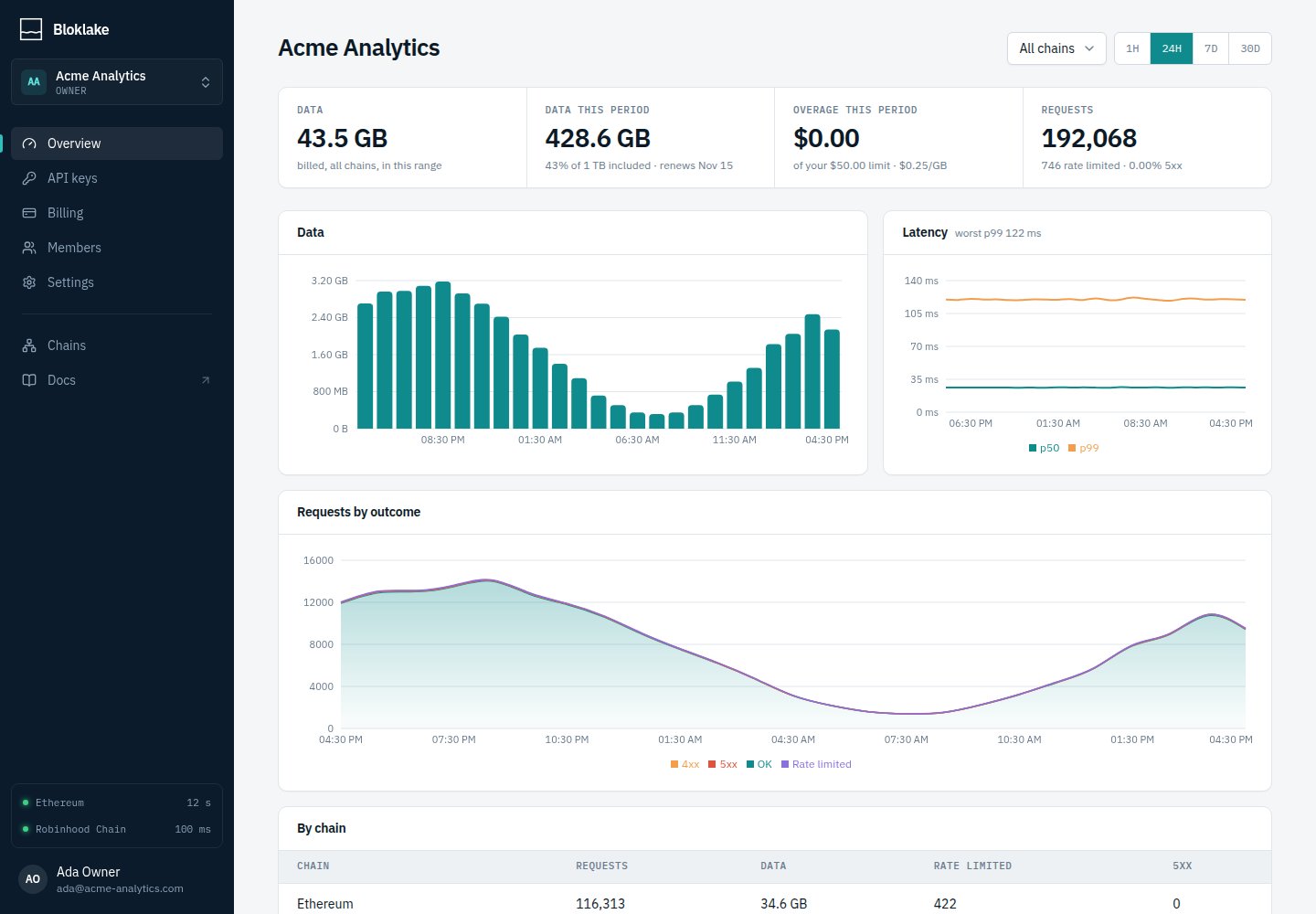
- Data: billed data in the range, across all chains or one.
- Plan tiles: on a subscription, this period’s data against the included amount and the overage so far; on pay-as-you-go, spend in the range and the current balance.
- Requests: total requests, how many were rate limited, and the server error rate.
- Charts: data over time, latency (p50 and p99) and requests by outcome.
- By chain and Keys tables: where the usage came from.
Project settings
Only the project’s owner can change these.- Rename the project.
- Transfer ownership to another member (they must already be a member, and own fewer than 10 projects; you become an admin).
- Delete the project: all keys are revoked immediately, subscriptions are canceled at the end of the period, and any pay-as-you-go balance is forfeited. Personal projects can’t be transferred or deleted.